
Opened 18 years ago
Closed 18 years ago
#2351 closed Bug (worksforme)
AutoDetectLanguage, not using "first available language"
| Reported by: | Christine.Hill | Owned by: | |
|---|---|---|---|
| Priority: | Normal | Milestone: | |
| Component: | General | Version: | |
| Keywords: | WorksForMe | Cc: |
Description
My system (Windows XP)language was set to Mexican Spanish and AutoDetectLanguage was set to true but the translation in es.js did not display, en.js was used instead. I did the same test with Canadian French and fr-ca.js was used. Of course, I was testing with IE 7.
Attachments (1)
Change History (3)
comment:1 follow-up: 2 Changed 18 years ago by
| Keywords: | Pending WorksForMe added |
|---|
comment:2 Changed 18 years ago by
| Keywords: | Pending removed |
|---|---|
| Resolution: | → worksforme |
| Status: | new → closed |
Replying to w.olchawa:
FCKeditor will set the language to the browsers language
This is true with all browsers except IE. IE takes the language from the OS, so the reported issue would be valid, if confirmed.
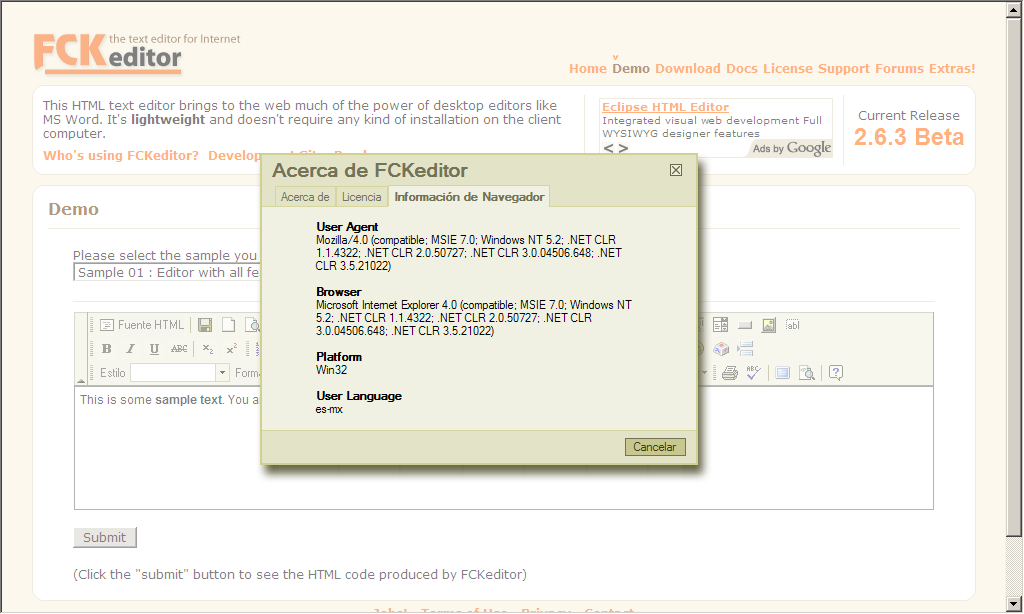
I've test it here and it works for me. The es.js file is loaded if the OS is set to es-mx. To check it, just use the editor about dialog. I'm attaching a screenshot with the results I'm having with our online demo and IE7.
Changed 18 years ago by
| Attachment: | lang_ie.png added |
|---|
Screenshot of IE7 with OS set to Mexican Spanish


Could you please specify what is the language of your browser? FCKeditor will set the language to the browsers language, so probably in your case it is an expected behaviour. Please let us know.
Thanks in advance