
Opened 17 years ago
Closed 17 years ago
#4258 closed Bug (duplicate)
Editor area chopped off on maximize for Arabic language in IE7 and IE8
| Reported by: | Pranav | Owned by: | Tobiasz Cudnik |
|---|---|---|---|
| Priority: | Normal | Milestone: | CKEditor 3.1 |
| Component: | General | Version: | |
| Keywords: | Oracle | Cc: | Pranav |
Description
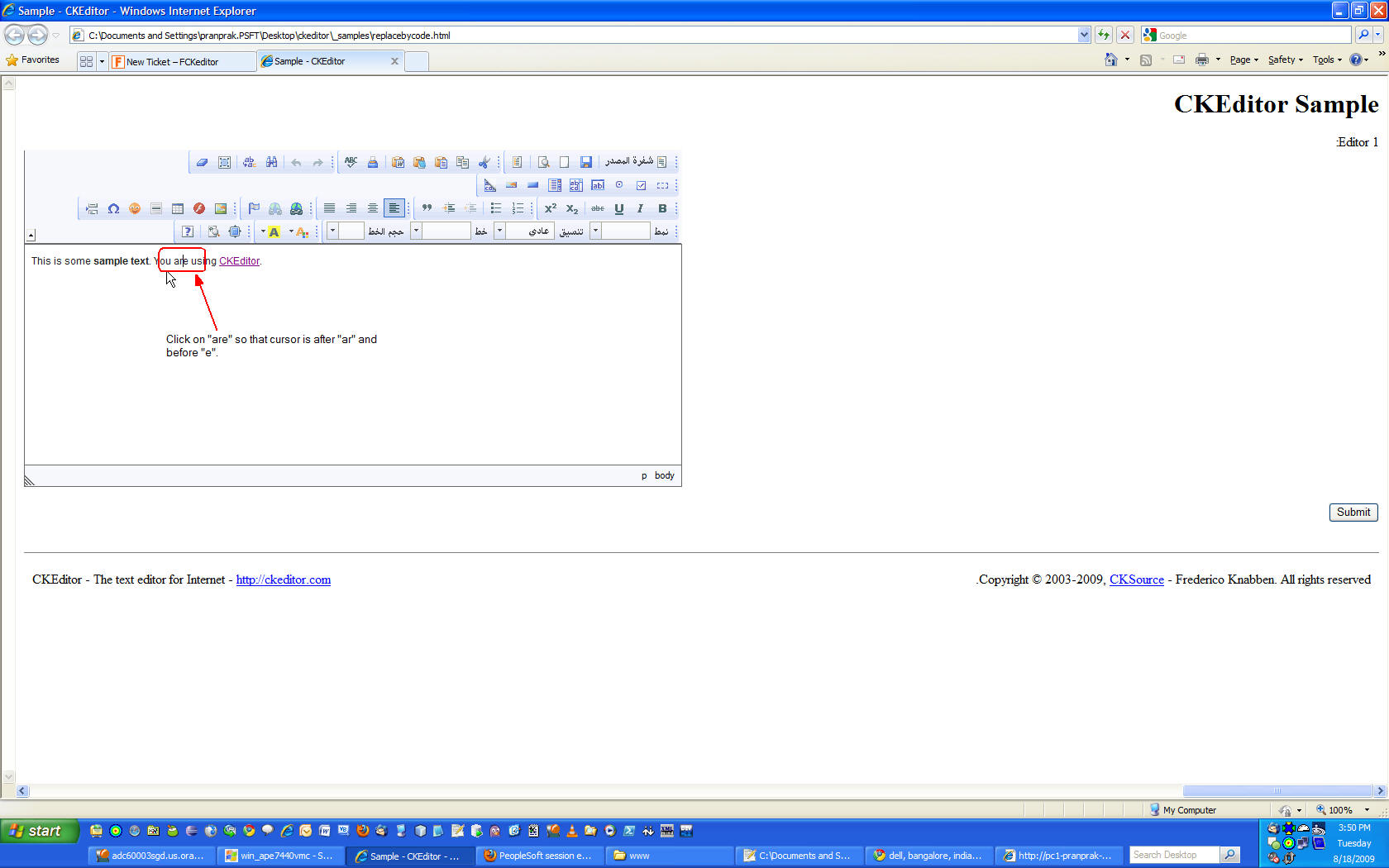
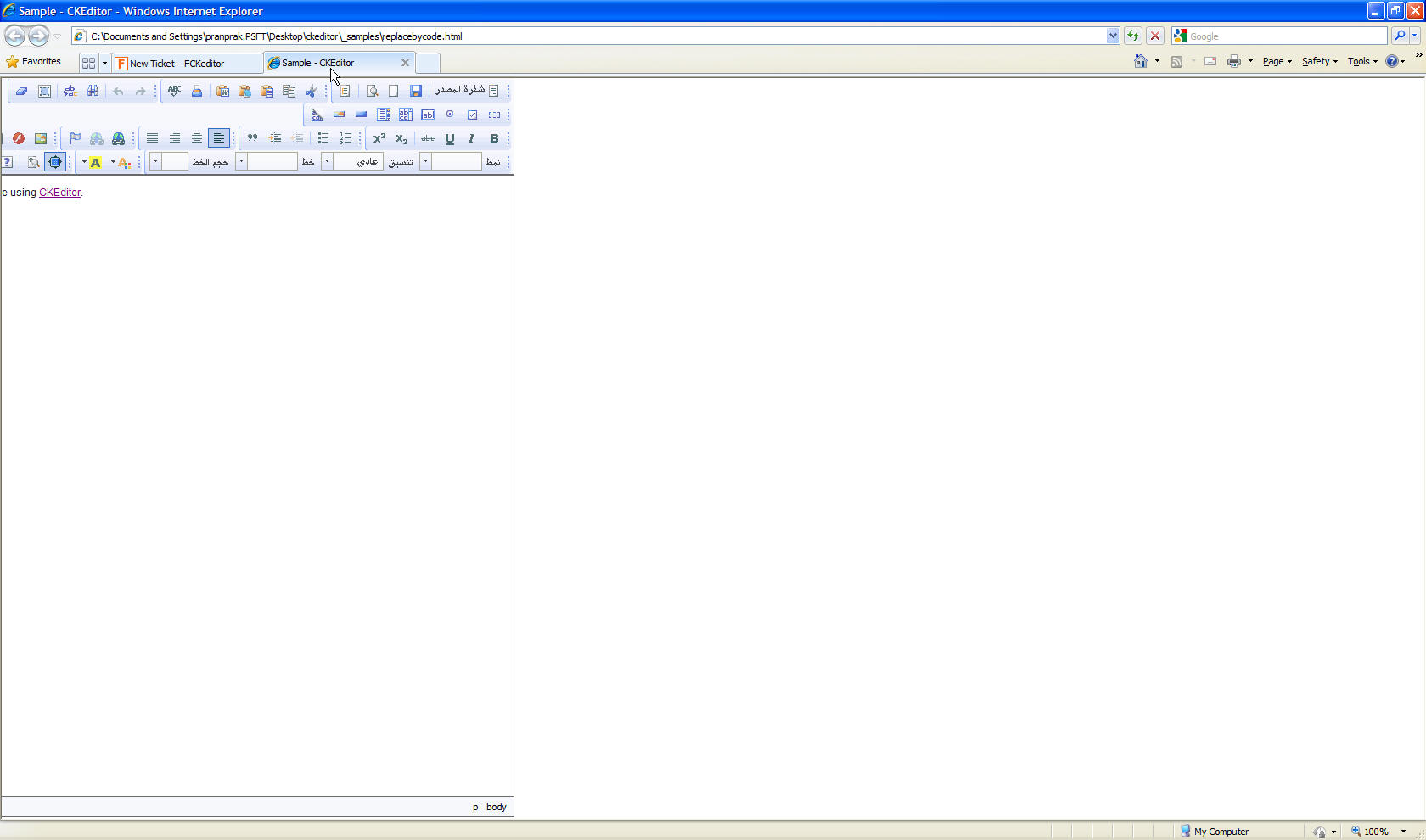
Attaching the config.js and replacebycode.html file to reproduce the issue. To reproduce, open the replacebycode.html, click on the middle of text (e.g. on word "are") in editor area and then click on maximize button. You will observe that the entire editor area left to word "are" is chopped off.
Attachments (4)
Change History (13)
Changed 17 years ago by
| Attachment: | ckeditor_cursor.jpg added |
|---|
Changed 17 years ago by
| Attachment: | ckeditor_maximize.jpg added |
|---|
Changed 17 years ago by
| Attachment: | replacebycode.html added |
|---|
Changed 17 years ago by
comment:1 Changed 17 years ago by
comment:2 Changed 17 years ago by
| Owner: | set to Tobiasz Cudnik |
|---|---|
| Status: | new → assigned |
comment:3 Changed 17 years ago by
| Milestone: | CKEditor 3.0 → CKEditor 3.1 |
|---|
comment:4 Changed 17 years ago by
| Keywords: | Pending added |
|---|
I'm sorry but i can't reproduce it in any way. I've tried attached sample against latest nightly, then i've checked manually quirks and strict for office2003 skin. All in native IE7.
I'm asking someone else to try this one.
comment:6 Changed 17 years ago by
Replying to garry.yao:
Unable to reproduce any of the problem.
This problem is present in CKEditor 3.0RC. To replicate the problem just replace the files attached by me in respective CKEditor 3.0RC folders.
comment:7 Changed 17 years ago by
| Keywords: | Pending removed |
|---|---|
| Resolution: | → worksforme |
| Status: | assigned → closed |
I can confirm that 3.0 RC version had some issues with Maximize feature on IE, but results i have differs from yours. Thankfully they are fixed in newest trunk.
Please reopen this ticket if you will experience this issue using newest revision.
comment:8 Changed 17 years ago by
| Resolution: | worksforme |
|---|---|
| Status: | closed → reopened |



Found one more issue. While editor is maximized, click on any toolbar button. You will observe that the entire editor becomes invisible.