
Opened 15 years ago
Closed 12 years ago
#7268 closed Bug (fixed)
Right border disappears in v2 and office 2003 skins when zooming in/out
| Reported by: | James Cunningham | Owned by: | |
|---|---|---|---|
| Priority: | Normal | Milestone: | |
| Component: | UI : Skins | Version: | 3.2 |
| Keywords: | IBM IE7 FF | Cc: | Damian, Teresa Monahan, Satya Minnekanti |
Description
Steps to reproduce the defect:
Scenario 1
- Open up the skins sample in IE7.
- Press "CTRL+" twice to zoom in 150%.
Result: The right border of the editor is missing in the v2 and office 2003 skins (see screenshot).
Scenario 2
- Open up the skins sample in FF.
- Press "CTRL-" to zoom out.
Result: The right and left borders of the editor are missing in the v2 and office 2003 skins (see screenshot).
Attachments (2)
Change History (4)
Changed 15 years ago by
| Attachment: | office_2003_skin_IE7.JPG added |
|---|
Changed 15 years ago by
| Attachment: | v2_skin_FF.JPG added |
|---|
comment:1 Changed 15 years ago by
| Status: | new → confirmed |
|---|---|
| Version: | 3.5.3 (SVN - trunk) → 3.2 |
comment:2 Changed 12 years ago by
| Resolution: | → fixed |
|---|---|
| Status: | confirmed → closed |
Moono works fine when zooming out or in. It also may be due to improvements in zooming engines, because problems with calculating dimensions were strictly browser engines' problems.
Note: See
TracTickets for help on using
tickets.


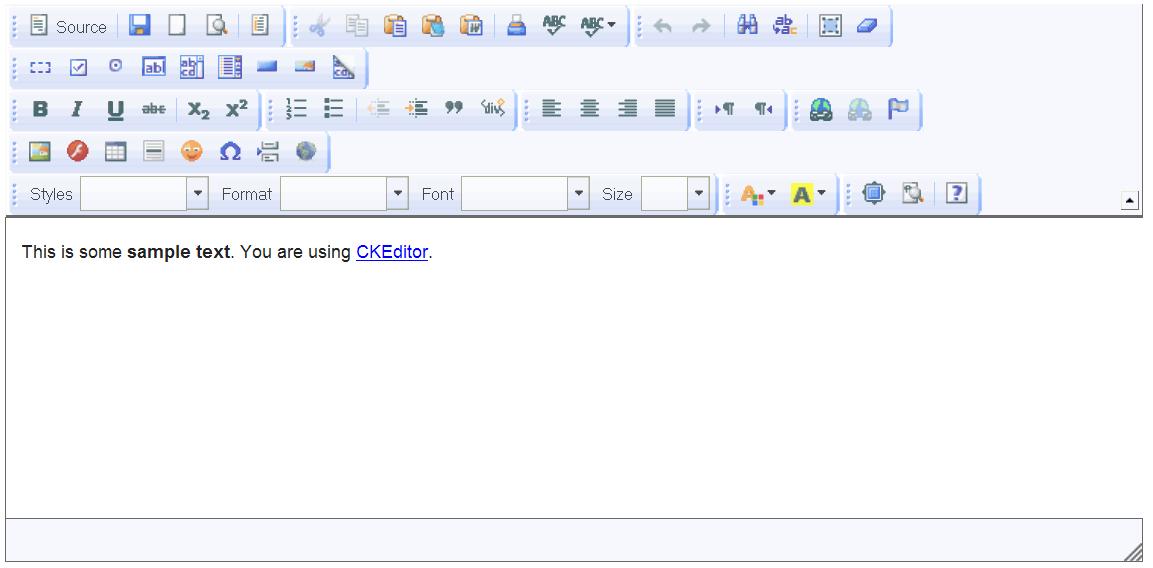

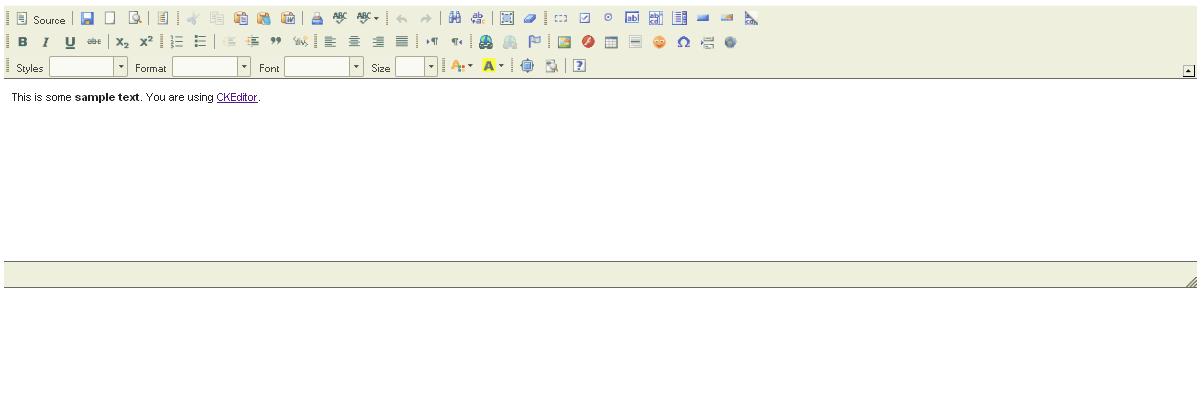
IE7 issue confirmed since v.3.2 FF issue confirmed since 3.5.1